Wiss Shorts

A skill for Claude Code, Codex or your favourite agent

Animated, narrated shorts in English or Spanish, made entirely on your computer.

Give it a topic and get the video back: script, voice, characters that act, music and subtitles. Vertical, square or horizontal.

They sold 16 corpses to a doctorlong story · 3 min · in Spanish
What if the Panama Canal closed?what if…? · maps
Zoom outone single scene · no cuts · 21 s
When computers were womenhistory · 29 s
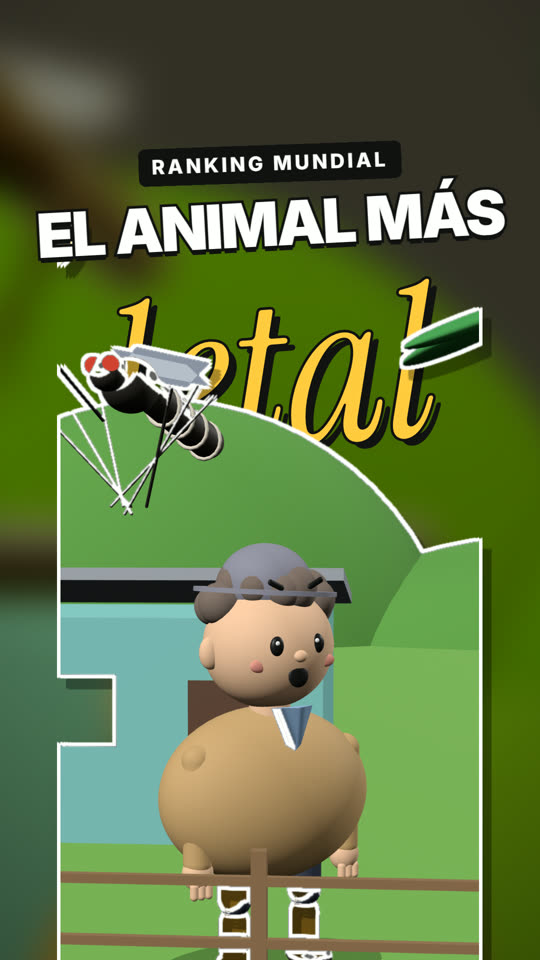
The animals that kill the most peopleranking · charts
Mummy medicinedither · halftone · comic
The cursed baby bottleweird history · 30 s · in Spanish
The gross secret of old hairstylesweird history · 31 s

Try it

Pick a topic and see what Wiss Shorts does with it: it writes the script, splits it into shots and delivers the video. These are the real videos above; the request is summarised.
You

1Script
    2Shots
    3Video
    Try the editorThe real Wiss Shorts engine in your browser, with “The animals that kill the most people” (narrated in Spanish). Pick a shot on the timeline and change its style, or try another size.
    The animals that kill the most peopleSaveExport
    0.0 / 29.6 s
    12345678910

    In the full editor you also move elements, change the script, voice and music, and render the mp4.

    Editor

    If you'd rather tweak it yourself, the short opens in a visual editor in the browser, on your computer. Change the text, the style, the music or a mascot and see it instantly, without remaking the video.

    Comes with Wiss Shorts + Editor (US$ 15), or add it later for US$ 5.
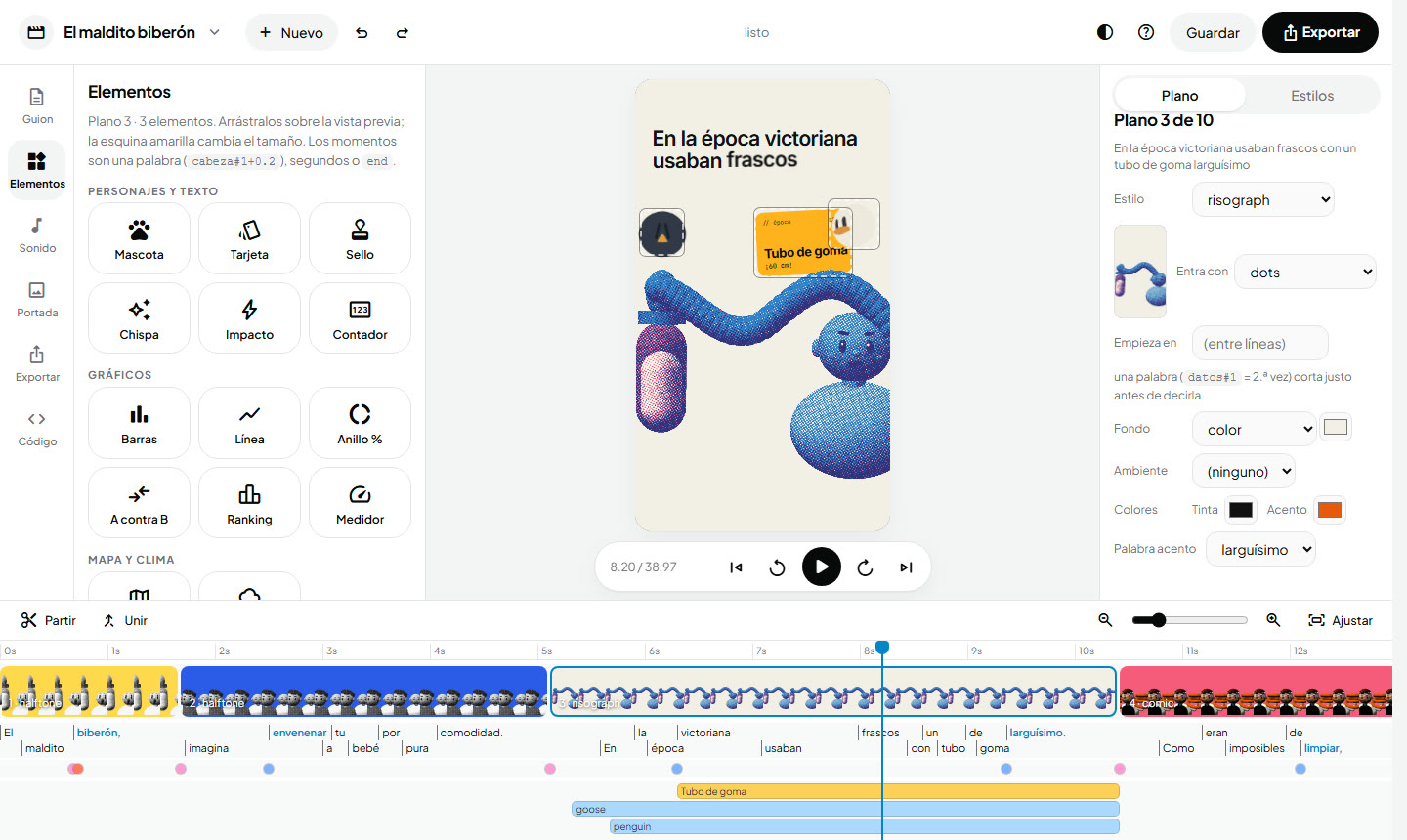
    The editor in 55 secondstemplates, script, timeline, styles, elements, sound, cover and export · recorded from the real editor (in Spanish)
    The Wiss Shorts editor: the element library on the left (mascot, card, stamp, bars, map…), the vertical preview in the middle, shot properties on the right and the timeline with shots, words and effects at the bottom
    Library, preview and timelinedrag elements onto the video
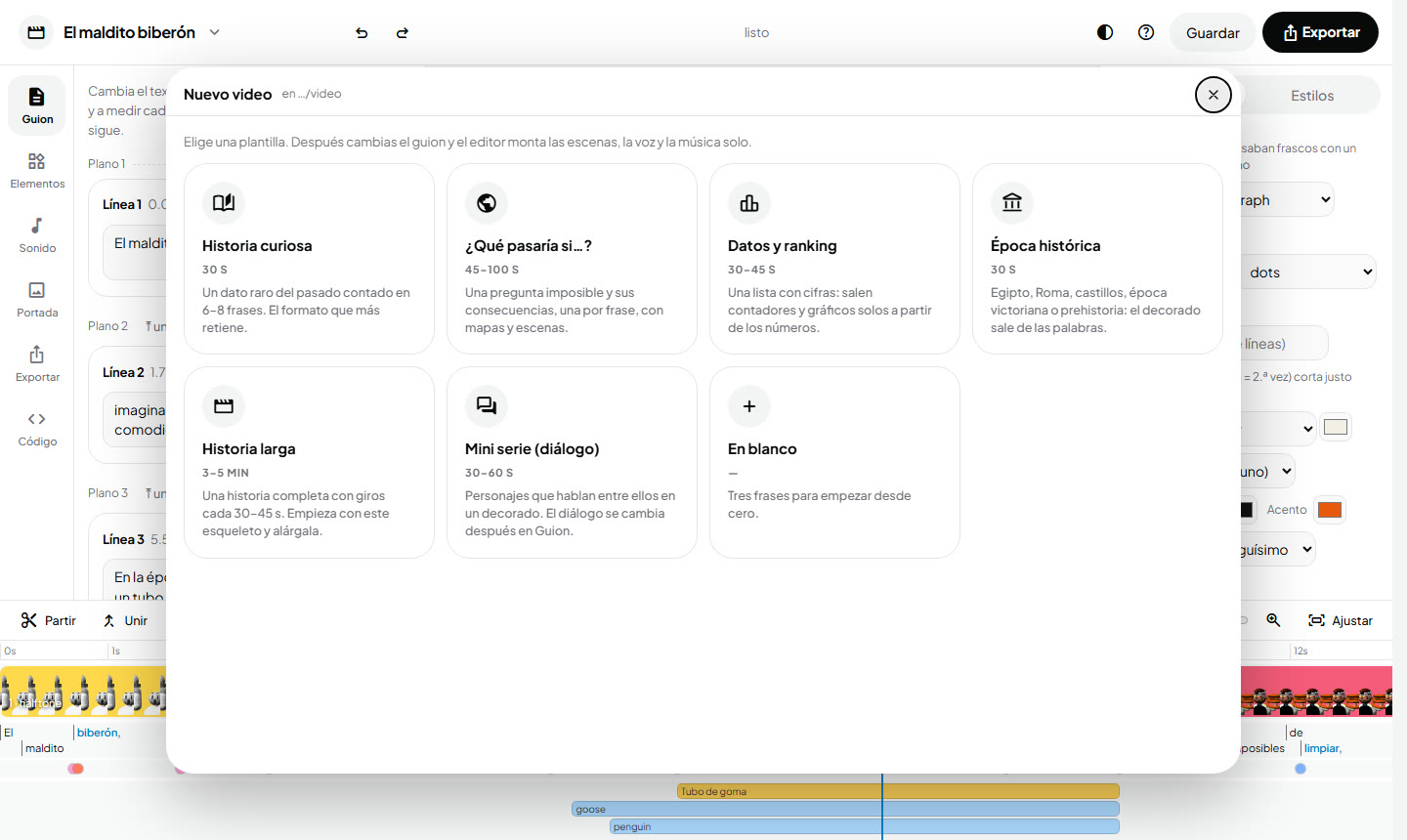
    New video window with seven templates: curious story, what if…?, facts and ranking, historical era, long story, mini series and blank
    Start from a template8 formats · scenes, voice and music on their own
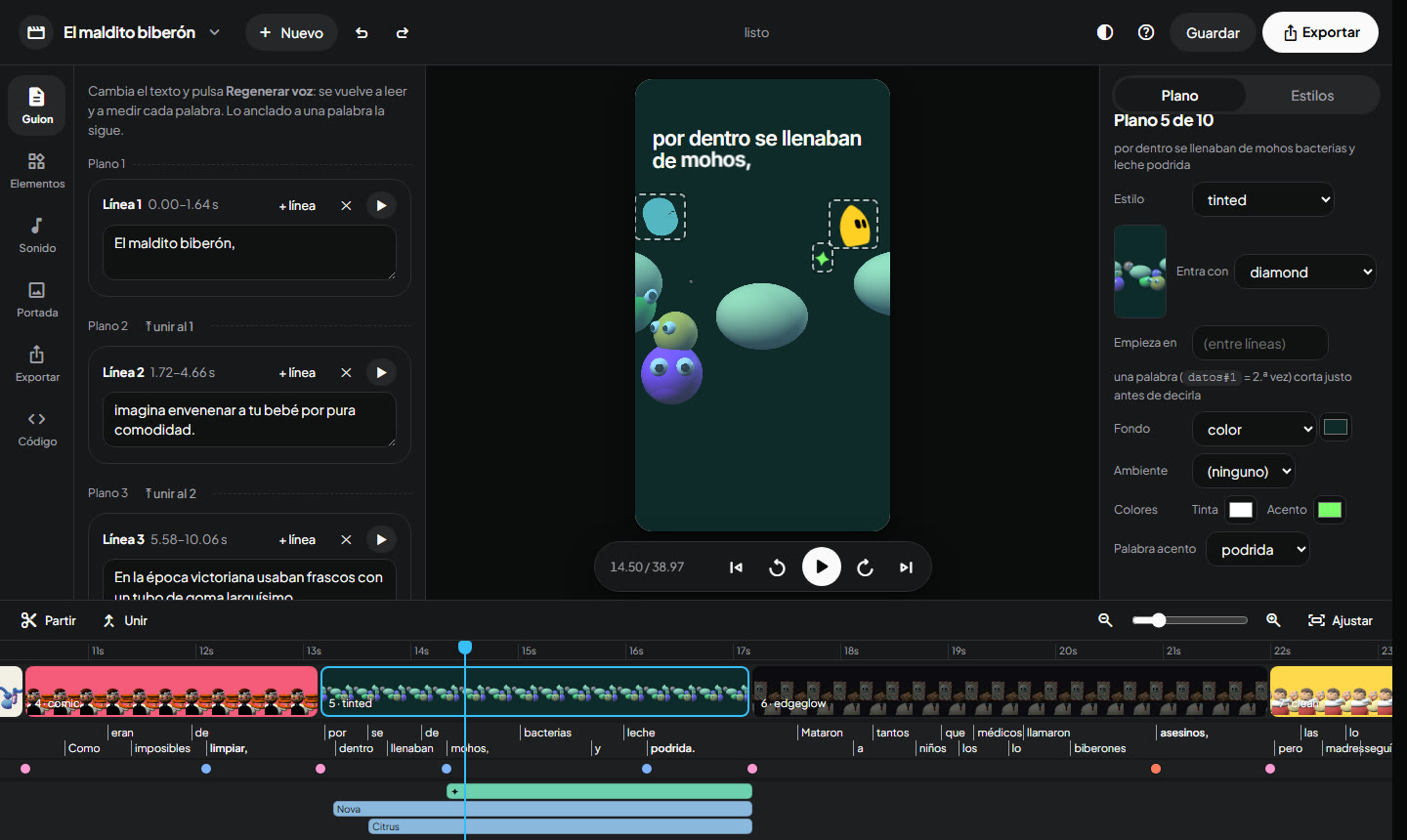
    The editor in dark theme with the script on the left and a shot with mascots in the preview
    Light and dark themethe script is edited as text
    • Templates to start from scratchCurious story, what if…?, facts and ranking, historical era, long story, mini series or blank. You write the script and the editor builds the scenes.
    • Charts, maps and weather in one clickCounters, bars, lines, rankings, A vs B, maps with real countries, rain or snow.
    • All 92 styles painted on your shotYou pick the finish seeing it on your own scene, not on a sample.
    • The cover, here tooHeadline, frame and design; click the one you like best out of 12.

    Covers

    Every short comes with 12 covers to choose from. The character cuts itself out and the headline moves around, or the video shows up on a TV, a newspaper, a magazine, a laptop, a billboard or a phone. Always inside the part the TikTok and Instagram grid shows, and horizontal too, as a YouTube thumbnail.

    Cover: “Dead soldiers’ teeth”, with a giant word behind a toy king wearing dentures
    The word, behindcut-out · living light
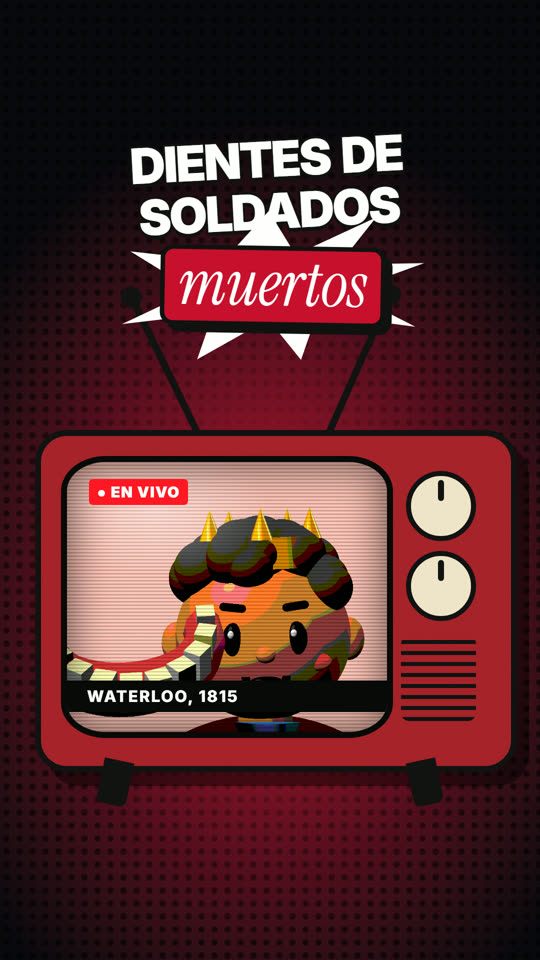
    Cover: the toy king inside an old TV with antennas and the caption Waterloo, 1815
    Old TVlive · caption
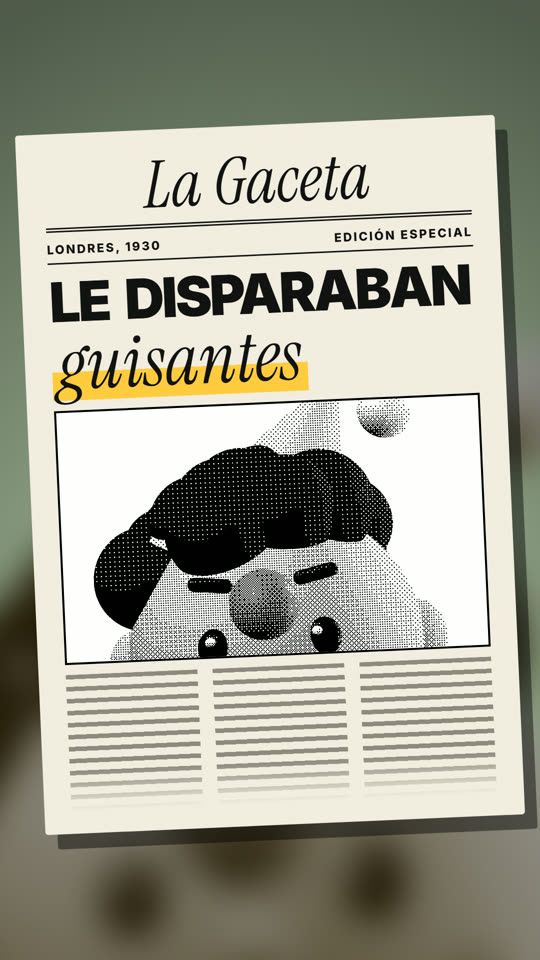
    Cover: a newspaper with a headline and a photo of a toy boy
    Newspaperfull-page headline
    Cover: a toy gargling and a yellow band with the headline
    Bandcut-out · blurred background
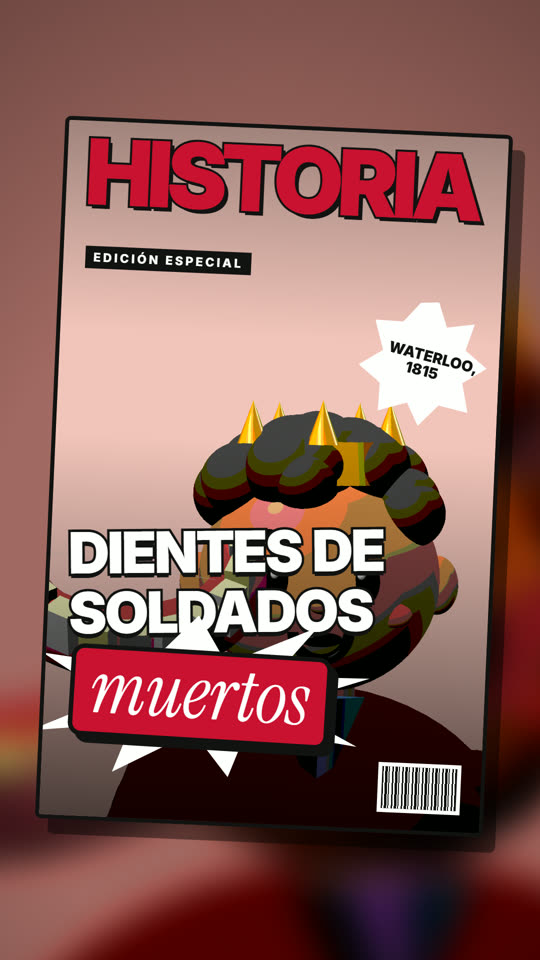
    Cover: a magazine with the toy king and the headline
    Magazinefull-bleed cover
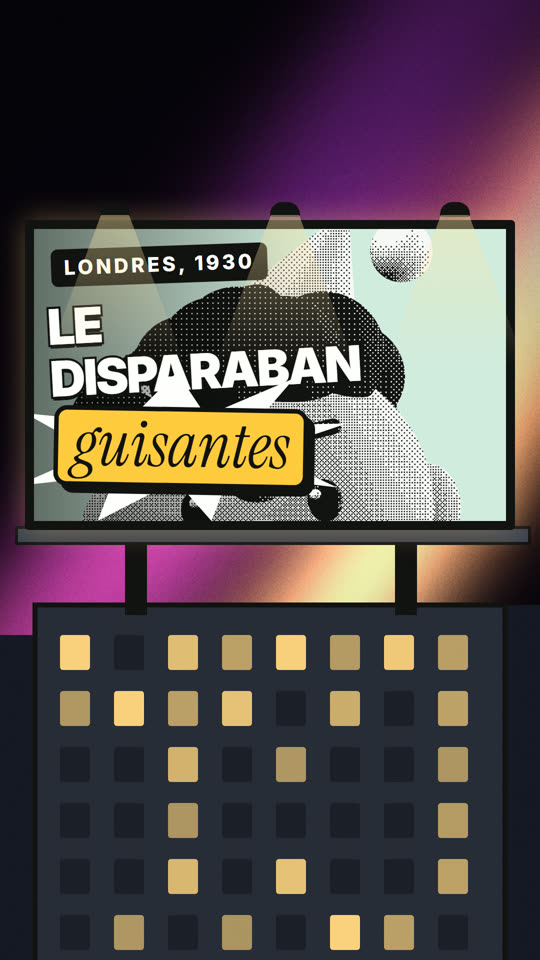
    Cover: a lit billboard on top of a building with the headline
    Billboard on a buildingat night
    Cover: the headline on the left and a cut-out toy boy on the right over a dot pattern
    Headline besidecut-out · halftone
    Cover: a laptop playing the short, with the headline on top
    Laptopplayer
    Cover: a phone with an Ancient Rome notification and the headline
    Phonenotification
    Cover: the headline over a cut-out toy and blurred lights
    Headline on topcut-out · bokeh lights

    One single scene

    A whole video without a single cut: the camera travels through one pixel scene, zooming in or out from one thing to the next. It works for any topic: a story, a product, a fun fact, a challenge or a trip like this one, from you to the galaxy and back.

    Zoom outone single scene · 21 s
    • One scene, no transitionsEach scale lives inside the previous one; the camera dives in or out and the detail appears inside the same object, with no flashes or cuts.
    • Anything can be a characterA person, a planet, a product or a drop with a face, blinking and changing expression on their word.
    • Draw whatever it takesCities, streets, planets and characters ready to use, plus custom shapes for whatever your topic needs: an object, a logo, an eye or a spiral.
    • Chiptune and console sounds8-bit music that lands on the beat when the text changes, counters, countdowns and a test tone for challenges.
    • In the editorA “One single scene” template and the camera keys on the timeline: drag them and they snap to a word.

    What it does

    • 3D toy characters that actGestures with shoulder, elbow and hand. Faces that change with anticipation and bounce.
    • 46 living mascots32 animals and 14 blobs that breathe, blink and watch what happens on screen.
    • 92 visual stylesDither, halftone, risograph, comic, ASCII, pixel, glass, glitch…
    • One single scene, no cutsThe whole video in one pixel scene: the camera zooms in or out from one thing to the next, with no transitions. For any topic. See it
    • Natural voice, on your computerKokoro, in English or Spanish, with every word timed for the headlines.
    • Vertical, square or horizontalThe same project comes out in 9:16, 4:5, 1:1 and 16:9 at once, with headlines, charts and camera rearranged and a file for each network.
    • Music and effects for every shortFinal mix at −14 LUFS for TikTok, Reels and Shorts.
    • Ready to publishMP4, 12 covers to choose from, .srt subtitles, titles, description and hashtags.

    Make your own

    Free mini tutorial: how to make your own video skill with Claude Code. 5 lessons with real code (about 45 minutes). At the end you'll have a simple short: a headline that comes in word by word on the beat of a voice made on your computer.

    1. 01A skill is a folder with instructions5 min

      Claude Code reads SKILL.md: the description tells it when to use the skill, and the steps tell it what to do. The heavy lifting (voice, timings, render) lives in scripts Claude runs for you. Copy it to ~/.claude/skills/my-short/.

      SKILL.md
      ---
      name: my-short
      description: Makes a narrated vertical short. Use it when asked to "make a short about X".
      ---
      1. Write a 6–8 short sentence script and fact-check every claim.
      2. Make the voice: python tools/voz.py "<script>"
      3. Measure the timings: python tools/tiempos.py
      4. Paste tiempos.json into index.html and render: npx hyperframes render --output short.mp4
      5. Make the contact sheet and check it before delivering.
    2. 02The voice, on your computer10 min

      Kokoro-82M speaks English (and Spanish), it's free and needs no account: your script never leaves your machine. Install kokoro-onnx and soundfile with pip and download the two model files (kokoro-v1.0.onnx and voices-v1.0.bin).

      tools/voz.py
      import sys
      import soundfile as sf
      from kokoro_onnx import Kokoro
      
      k = Kokoro("kokoro-v1.0.onnx", "voices-v1.0.bin")
      audio, sr = k.create(sys.argv[1], voice="am_michael", speed=1.0, lang="en-us")
      sf.write("voz.wav", audio, sr)
    3. 03When each word is spoken10 min

      To bring the text in on the beat of the voice you need the moment of every word. faster-whisper measures it locally (pip install faster-whisper numpy). If a word comes out wrong, change "base" to "small".

      tools/tiempos.py
      import json
      import numpy as np, soundfile as sf
      from faster_whisper import WhisperModel
      
      # whisper wants mono audio at 16 kHz
      y, sr = sf.read("voz.wav")
      y = y.mean(axis=1) if y.ndim > 1 else y
      a16 = np.interp(np.arange(0, len(y) / sr, 1 / 16000), np.arange(len(y)) / sr, y).astype(np.float32)
      m = WhisperModel("base")
      segs, _ = m.transcribe(a16, word_timestamps=True, language="en")
      palabras = [[round(w.start, 2), w.word.strip()] for s in segs for w in s.words]
      json.dump(palabras, open("tiempos.json", "w"), ensure_ascii=False)
    4. 04A video is a web page15 min

      HyperFrames turns an HTML page into an MP4, frame by frame. GSAP animates with a paused timeline: every frame comes from the time, so the result is always the same. Here, each word pops in right when it's spoken.

      index.html
      <body>
      <div id="root" data-composition-id="main" data-start="0" data-width="1080" data-height="1920" data-duration="3">
        <!-- without an id the audio is silent; data-duration = length of voz.wav -->
        <audio id="voz" src="voz.wav" data-start="0" data-duration="2.4" data-track-index="1"></audio>
        <h1 id="titular" style="font: 700 96px sans-serif; margin: 300px 80px"></h1>
      </div>
      <script src="https://cdn.jsdelivr.net/npm/gsap@3.14.2/dist/gsap.min.js"></script>
      <script>
        const palabras = [[0, "Did"], [0.2, "you"], [0.36, "know"], [0.6, "flamingos"], [1.2, "are"], [1.4, "born"], [1.7, "grey?"]];  // tiempos.json
        const tl = gsap.timeline({ paused: true }), h1 = document.getElementById("titular");
        for (const [t, w] of palabras) {
          const s = document.createElement("span"); s.textContent = w; h1.append(s);
          Object.assign(s.style, { display: "inline-block", marginRight: "0.25em" });
          tl.from(s, { y: 40, opacity: 0, duration: 0.3, ease: "back.out(2)" }, t);
        }
        window.__timelines = { main: tl };
      </script>
      </body>
    5. 05Check before you deliver5 min

      A sheet with two frames per second to see it all at a glance, and loudness at −14 LUFS, what TikTok, Reels and Shorts expect.

      terminal
      ffmpeg -y -i short.mp4 -vf "fps=2,scale=180:-1,tile=10x6" hoja.jpg
      ffmpeg -y -i short.mp4 -c:v copy -af loudnorm=I=-14:TP=-1 final.mp4
    6. 06What it takes for people to watch it to the endweeks

      With the above you have text that comes in on the beat of a voice. For a short to hold attention you need all of this, and it's the part that takes weeks of trial and error:

      • Characters that act3D toys in three.js with shoulder, elbow and hand, faces that change with anticipation and bounce, and a camera that never sits still.
      • Sets30+ ready-made sets and eras: neighbourhood, hospital, courtroom, sea, Egypt, Rome…
      • Living mascots46 animals and blobs that breathe, blink, watch what happens on screen and react on their word.
      • 92 stylesDither, halftone, comic, ASCII, pixel, glass… a different finish per shot.
      • Charts, maps and weatherCounters, rankings, bars, A vs B, real countries with routes, rain or snow.
      • Sound and coverMusic and effects for every short, a designed cover and .srt subtitles.
      • Editor and 4 sizesA visual editor to tweak without code, and the same video in 9:16, 4:5, 1:1 and 16:9.
      • ReviewScreenshots per shot, a phone-size test and notes before you get anything.

    Buy

    One-time payment, no subscription and no credits: everything runs on your computer. The videos you make are yours, to publish and monetise.

    Wiss Shorts

    US$ 10

    The full skill: script, voice, acting characters, 46 mascots, 92 styles, 4 sizes, cover and subtitles, in English or Spanish. You ask for changes in the chat.

    Buy without editor
    Most complete

    Wiss Shorts + Editor

    US$ 15

    Everything above plus the visual editor: preview, shots, styles, draggable elements, sound, cover and render, without touching code.

    Buy with editor

    Already have Wiss Shorts without the editor? Add the editor for US$ 5: it installs on top with one command.

    • Secure payment with the payment provider.
    • Instant download: the link arrives by email.
    • Updates for 1.x included.
    • Questions before buying? Contact.

    You need

    • Claude Code, Codex or your favourite agentOne that reads skills and runs commands on your computer, with its paid plan.
    • Node.js 22, ffmpeg and Python 3.10–3.12The installer tells you how to add whatever is missing.
    • Windows, macOS or Linux